
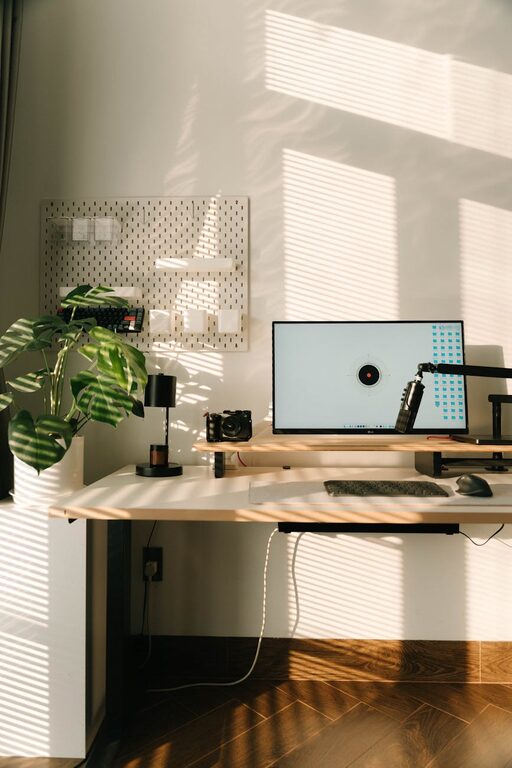
Creating an organized and clutter-free home workspace is essential for maximizing productivity and maintaining focus throughout your workday. Whether you’re working remotely full-time or just occasionally, having a dedicated area that is neat and well-arranged can make a huge difference in your efficiency and overall mindset. In this guide, we’ll explore practical tips to help you set up a workspace that supports your best work.
Why a Clutter-Free Workspace Matters
A cluttered desk or workspace can quickly become a source of distraction and stress. When your environment is chaotic, it’s harder to find things, concentrate, and stay motivated. Conversely, a tidy, well-organized workspace helps clear mental clutter, giving you the space to focus on your tasks and be more productive.
Choosing the Right Location
Select a Dedicated Area
If possible, set up your workspace in a quiet corner or room separate from your living or sleeping areas. This helps your brain associate that space with work and reduces distractions.
Good Lighting
Natural light is ideal since it boosts mood and alertness. Place your desk near a window if you can. If natural light is limited, invest in a good quality desk lamp with adjustable brightness to reduce eye strain.
Decluttering Your Workspace
Clear Everything Off
Start fresh by removing all items from your desk surface. Clean the area thoroughly before putting things back.
Only Keep Essentials on Hand
Limit your desk items to what you truly need daily. Common essentials might include your computer, a notepad, a pen holder, and perhaps a water bottle.
Use Storage Solutions
Invest in organizers such as drawer dividers, desktop trays, or shelves to keep smaller items like paper clips, sticky notes, and chargers neatly stored and out of the way.
Organizing Your Desk Efficiently
Use Vertical Space
Shelves or wall-mounted organizers free up desk space while keeping important materials within reach.
Cable Management
Tangled cords create visual clutter and can be hazardous. Use cable clips, sleeves, or under-desk trays to keep wires neat and hidden.
Set Up Zones
Designate specific areas of your desk for different purposes — for example, computer work, writing, and reference materials. This encourages a routine and helps maintain order.
Digital Organization
Keep Your Desktop Clean
Avoid clutter on your computer desktop by creating folders and regularly deleting unnecessary files.
Use Task Management Tools
Apps or digital planners can help you organize and prioritize your work, reducing paper clutter and improving time management.
Personalizing Without Overdoing It
Adding personal touches to your workspace can make it more inviting and motivating. However, keep decorations minimal to avoid distraction. A small plant, a framed photo, or a piece of art can add warmth without clutter.
Maintaining Your Organized Workspace
Daily Cleanup
Spend a few minutes at the end of each workday tidying your desk. Put things back in their place and clear away any mess.
Weekly Review
Take time each week to reassess your workspace, get rid of unnecessary items, and refill supplies.
Ergonomics Matter
An organized workspace should also support your physical comfort. Use an ergonomic chair and desk setup to maintain good posture and reduce strain. Position your monitor at eye level and keep your keyboard and mouse comfortable to reduce fatigue.
Additional Tips for Productivity
– Use noise-canceling headphones if you’re in a noisy environment.
– Keep a water bottle nearby to stay hydrated.
– Limit distractions by setting specific work hours and communicating boundaries with family or roommates.
Conclusion
Organizing a clutter-free and productive home workspace doesn’t have to be complicated. By choosing the right location, decluttering efficiently, and establishing simple systems, you can create an environment that supports focus and efficiency. Remember, the key is to keep things simple and maintain your setup with regular tidying. With these tips, you’ll be well on your way to a more enjoyable and productive work-from-home experience.