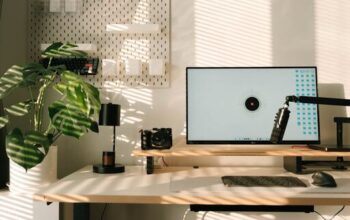
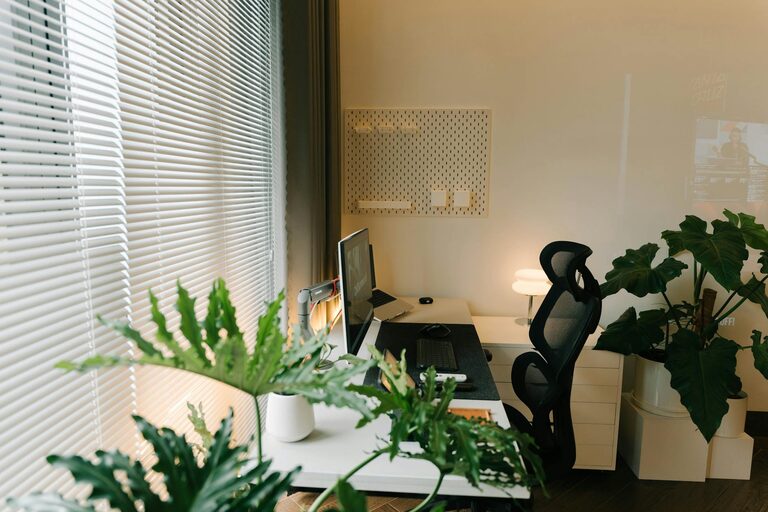
Creating a productive home office space is essential for anyone working remotely or managing tasks from home. A well-organized and comfortable workspace can improve focus, reduce stress, and increase efficiency. Whether you have a dedicated room or a small corner to work in, these tips will help you design a productive home office that suits your needs.
Choose the Right Location
Your workspace location plays a crucial role in productivity. Aim for a quiet spot with minimal distractions. If possible, select an area with natural light to keep your energy levels high.
– Avoid high traffic areas where interruptions are likely.
– Consider spaces near windows for fresh air and daylight.
– If space is limited, use room dividers or screens to separate your office zone from living areas.
Invest in Ergonomic Furniture
Comfort is key to maintaining focus and preventing physical strain.
– Desk: Choose a desk large enough for your computer, documents, and other essentials without clutter.
– Chair: An adjustable chair with good lumbar support helps maintain good posture.
– Monitor setup: Position your monitor at eye level to reduce neck strain.
Organize Your Workspace Efficiently
A tidy and organized workspace encourages productivity and reduces stress.
– Use cable organizers to prevent wires from tangling.
– Incorporate shelving or filing cabinets to keep documents and supplies neat.
– Keep frequently used items within easy reach.
Optimize Lighting
Proper lighting reduces eye strain and helps maintain alertness.
– Use a combination of natural and artificial light.
– Place your desk near windows when possible.
– Use adjustable desk lamps to ensure adequate task lighting.
Minimize Distractions
Distractions can severely impact your ability to work effectively.
– Keep personal devices like phones in silent mode or out of reach.
– Use noise-cancelling headphones or play soft background music to block ambient noise.
– Set clear work hours with family or housemates to minimize interruptions.
Personalize Your Space
Adding personal touches can boost your mood and motivation.
– Decorate with plants to create a calm environment.
– Display inspiring artwork or motivational quotes.
– Choose colors that promote focus, such as soft blues or greens.
Establish Boundaries Between Work and Home Life
Defining physical and mental boundaries helps maintain a healthy work-life balance.
– Use your workspace only for work-related activities.
– At the end of the day, close your laptop and organize your desk to signal the workday is over.
– Change clothes after work hours to transition out of work mode.
Utilize Technology Wisely
Technology can improve your productivity if used thoughtfully.
– Use productivity apps to manage tasks and deadlines.
– Ensure your internet connection is stable and fast.
– Keep your software and devices updated to avoid disruptions.
Maintain Regular Cleaning
A clean workspace promotes clarity and efficiency.
– Set aside time each day or week to tidy your office.
– Remove unnecessary items that create clutter.
– Regularly clean your keyboard, desk, and chair.
Take Breaks and Move
Staying active helps maintain focus and prevents fatigue.
– Follow the Pomodoro technique: work for 25 minutes, then take a 5-minute break.
– Stretch or take short walks to keep your body energized.
– Consider a standing desk or alternating between sitting and standing.
—
Setting up a productive home office takes planning, but the benefits are well worth the effort. By creating a comfortable, organized, and inspiring workspace, you’ll boost your ability to focus and complete tasks efficiently. Remember, the best home office is one tailored to your specific working style and needs.